Why We Built fPost
For the past year, we have been building workflow tools for audio professionals. We started with music production, helping mix engineers and producers move faster through the parts of a Pro Tools session that have nothing to do with making it sound good. That work taught us a lot about where professional time actually goes, and it made us pay close attention to a different set of professionals: the editors, mixers, and sound designers working in audio post production.
What we found, through dozens of conversations with people working in film, television, broadcast, and games, was a problem that almost no one outside the industry sees clearly. But the people living it, at facilities from London to Los Angeles, describe it with the same specificity and the same frustration.
The problem is session prep.
The Problem: What Session Prep Actually Costs in Audio Post
Every audio post production project starts with a handoff. A picture editor exports an AAF or delivers a PTX session. That file arrives at the dubbing stage or the editorial suite, and before any real work can begin, someone has to make it usable.
"Usable" is doing a lot of work in that sentence.
An AAF that imports without errors is not a session ready for a dialogue editor or re-recording mixer. Tracks are named inconsistently, sometimes not named at all. Audio elements are mixed together in ways that reflect the picture editor's workflow, not the audio professional's. Stereo and mono files land on the wrong track types. Nothing matches the facility's routing template. Regions sit on tracks with no meaningful organizational logic. And the session still needs to be checked, sorted, routed, and reorganized before any creative decision can be made.
The manual work involved in getting from a raw AAF import to a properly structured, template-matched, session-ready Pro Tools project is significant. It is also invisible to everyone except the person doing it. It does not appear on a schedule. It does not get budgeted. It just happens, every time, on every project, before the real work begins.
We wrote about this in detail in our piece on the real cost of AAF import in Pro Tools, and separately in what makes PTX session prep harder than it looks. If you work in audio post, those articles will feel familiar. If you are outside the industry, they explain why this problem is harder than it sounds.
The short version: session prep is a serious, recurring, underestimated bottleneck. And the professionals dealing with it are highly skilled people who should be spending their time and attention elsewhere.
What fPost Does, and Why It Took This Long to Build
When we started talking to people about this problem, the early feedback was clear in one direction and murky in another. Everyone agreed that prep was painful. The disagreement was about whether a tool could actually solve it.
The skepticism was reasonable. Session prep is not a single task. It involves understanding context, not just reading file metadata. A track labeled "FX" might contain production sound, room tone, or a foley element depending on how the picture editor named things. Getting from a raw import to a session that a professional can trust requires judgment about what things are, not just where they are.
That is the core problem we spent months working on with fPost. Not just file parsing or track sorting, but audio classification: identifying what each element actually is, so the session can be structured in a way that reflects how a real post production workflow operates.
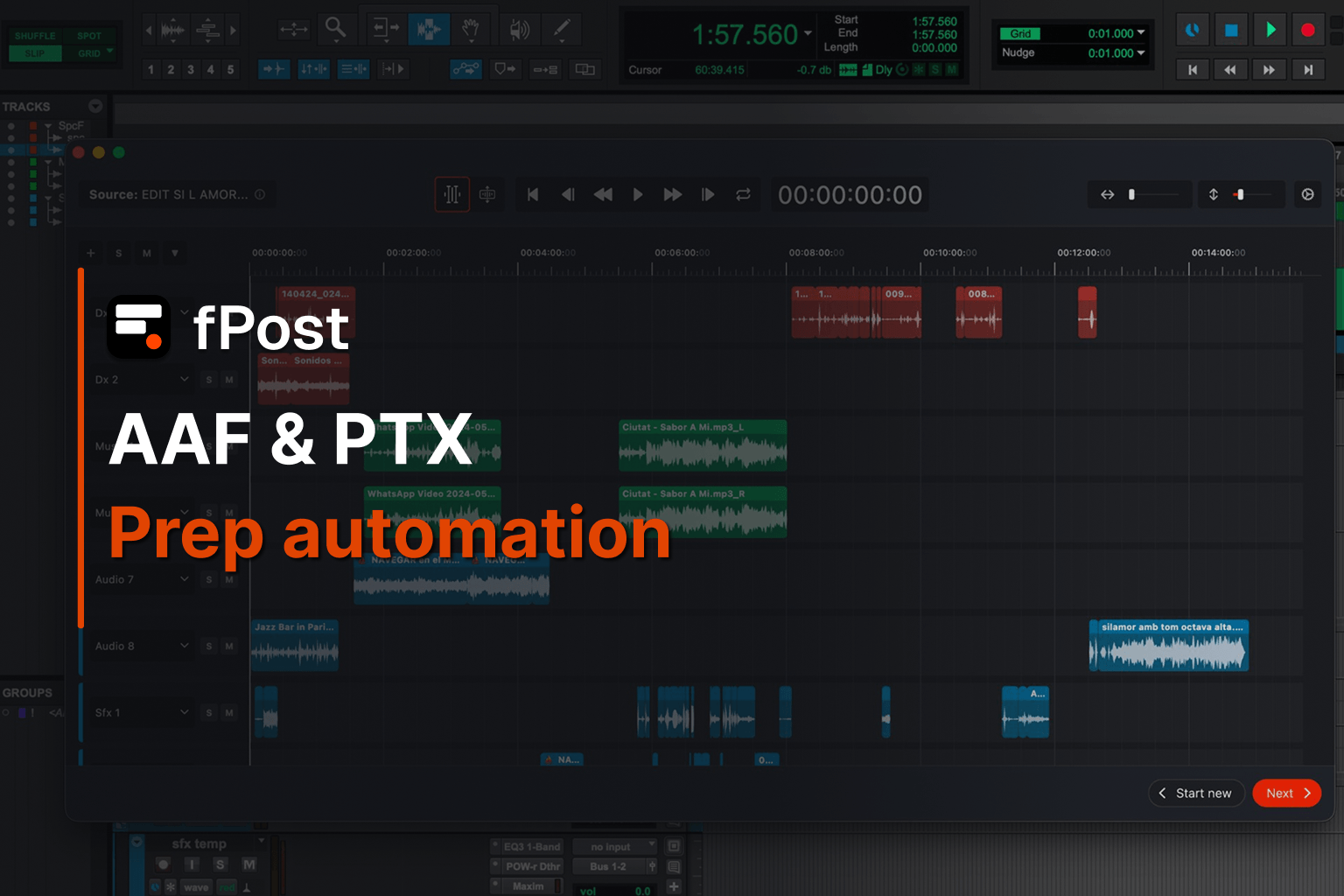
fPost connects to your Pro Tools session, reads the imported AAF or PTX structure, classifies the audio content, and builds a session organized according to proper post production logic:
- Dialogue separated from sound effects
- Music isolated
- Ambience placed correctly
- Routing applied to match your facility template
- Tracks named consistently throughout
What normally takes an hour or more of manual setup happens in seconds.
Who Asked Us to Build This
We did not decide to build fPost in isolation. The requests started coming in through fMusic users who also worked in post. Then through the broader network of professionals we spoke to during customer discovery. The pattern was consistent enough that it stopped feeling like a feature request and started feeling like a gap we were responsible for filling.
People asked for a way to visualize what was inside an AAF before committing to an import. They asked for automated track naming and classification. They asked for something that could take an incoming session and restructure it to match their template without them having to do it manually every single time. Several people described spending the first hour or two of every project doing work they had already done a hundred times before.
That is the problem fPost is built to solve.
This Is a Beta
fPost is in closed beta now. That means we are working with a limited group of professionals directly, learning from real sessions, and iterating on the parts that still need refinement. Features and availability will evolve before general release.
If you work in audio post, this is the right time to get involved. Not because we have a polished product to show you, but because the people in the beta are shaping what fPost becomes. We want to hear from re-recording mixers, dialogue editors, sound supervisors, and anyone managing the handoff from picture to sound. The more different production contexts we see, the better the tool gets.
Beta spots are limited. If you want access, you can request it at the link below. We will reach out when your spot is ready.
What Comes Next
fPost is the second major product on the Forte AI platform. fMusic, our tool for music production and mixing workflows in Pro Tools and Logic Pro, continues to develop in parallel. The two products address different parts of the professional audio world, but they reflect the same underlying conviction: that the best tools for audio professionals are the ones that remove repetitive friction without getting in the way of the work that actually requires skill.
We will be writing more about how fPost works in the coming weeks, including a closer look at how AAF files are classified and processed, and what "session ready" actually means in a professional post production context. Subscribe to the blog if you want those when they land.
Join the fPost beta at forte-ai.com/demo.
Frequently Asked Questions
What is fPost?
fPost is a session prep tool from Forte AI built for audio post production professionals. It connects to Pro Tools, reads imported AAF or PTX session structures, classifies audio content automatically, and organizes the session to match your facility's routing template and naming conventions.
What does fPost automate?
fPost handles the work that normally happens manually between a raw AAF or PTX import and a usable session: track classification, naming, routing, stereo and mono placement, and organizational structure. What typically takes an hour or more of manual setup happens in seconds.
Which DAW does fPost support?
fPost currently works with Pro Tools.
Who is fPost built for?
fPost is built for re-recording mixers, dialogue editors, sound supervisors, and anyone managing the handoff from picture editorial to audio post. It is designed for professionals working in film, television, broadcast, and games.
How is fPost different from fMusic?
fMusic is Forte AI's tool for music production and mixing workflows in Pro Tools and Logic Pro. fPost is built specifically for audio post production. Both products are on the Forte AI platform and address the same underlying problem in different professional contexts: repetitive session prep that takes time away from creative work.
How do I get access to the fPost beta?
Beta spots are limited. You can request access at forte-ai.com/demo and the team will reach out when your spot is ready.
Is fPost available now?
fPost is currently in closed beta. General availability details will be announced as the product develops.