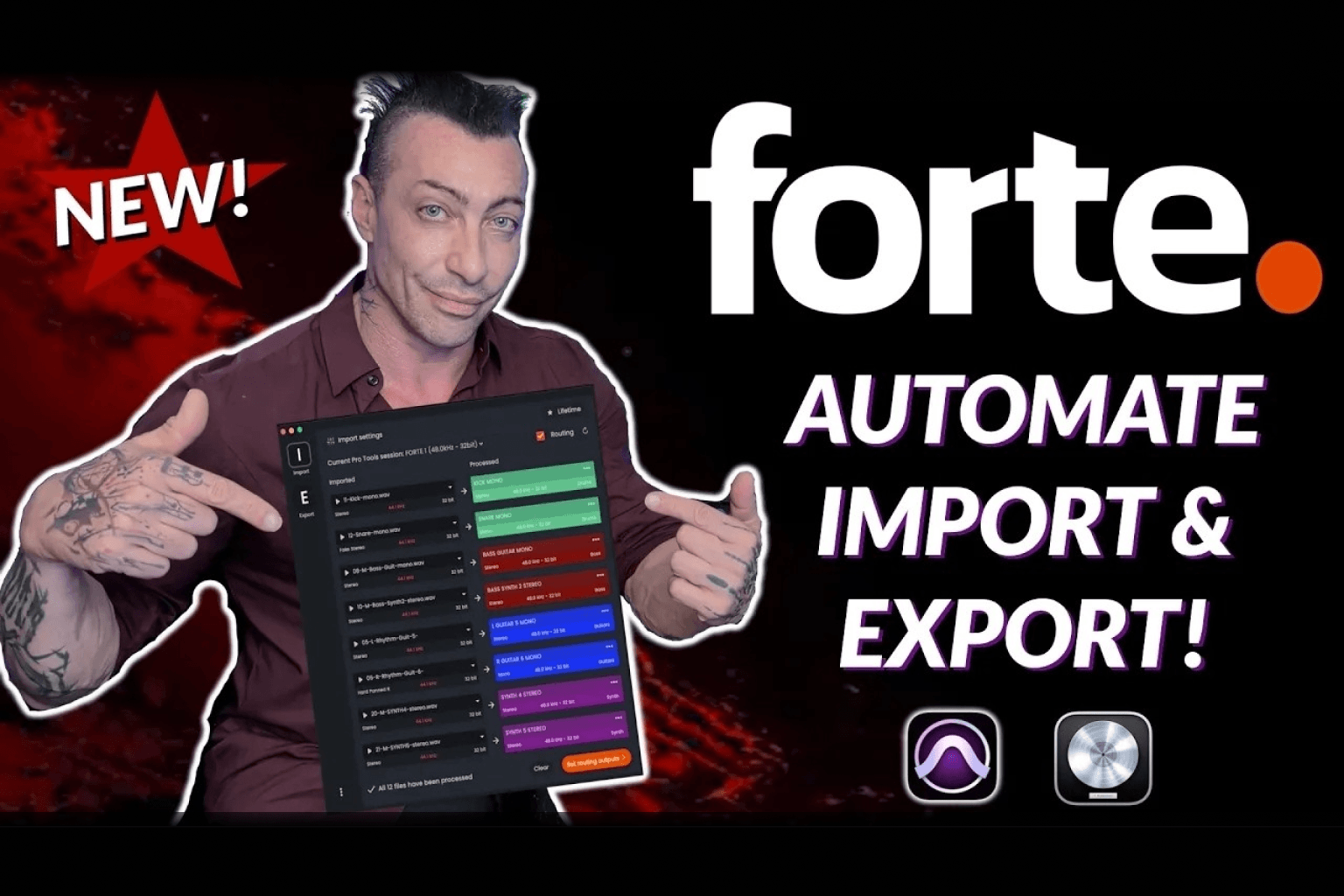
David Gnozzi has been mixing and mastering professionally for years. He runs MixbusTV, one of the more practically focused mixing channels online, and he works across genres constantly: hip-hop one day, metal the next. His sessions look different every time. He does not use a standard template.
That context matters for this review. Most demonstrations of session prep tools are built around a clean template with everything already in place. David tested fMusic on a blank session with no routing set up at all, then on a 65-track rock mix with buses already in place. The results were the same either way.
His framing at the start of the video was that this is the kind of software you do not realize you needed until you see it run.
What David Tested and How
David runs through two full imports on camera in real time.
Session one: hip-hop, blank slate
No template, no pre-existing buses, no routing set up. Raw files imported directly into an empty Pro Tools session. The files were recorded at 44.1kHz; the session was set to 48kHz.
fMusic classified the tracks automatically, colour coded them to his preferences, renamed them to cleaner formats, detected fake stereo files, converted them to mono, applied strip silence, routed each track to its designated output, and converted the sample rate without any manual steps. As he noted, stripped of his narration the whole pass takes only a few seconds.
Session two: rock mix, 65 tracks, existing routing
A denser session with a real miked drum kit, multiple bass types including 808 and live bass, guitars, and vocals. In this case David already had his routing buses in place: drums out, bass out, guitar, synths, lead vocals, background vocals.
fMusic recognized all of his saved preferences via preset and mapped every track accordingly. Three ad lib tracks needed batch renaming, which he handled inside fMusic using the format option, naming them ad lib 1, 2, and 3 in a single action.
Features David Covers in Detail
AI classification and colour coding
fMusic analyses the audio content and file name of each track to determine its category. Kicks, snares, hi-hats, and cymbals go to drums. Bass files go to bass. Synths, keyboards, strings, vocals, and background vocals each have their own category. Every category has an assigned colour. David uses green for drums, dark red for bass, pink for pads, red for vocals, and blue for guitars. The default preset covers these categories out of the box and everything is fully customizable: colour, name, routing destination, and order.
Fake stereo detection and mono conversion
One of the features David highlights specifically. A kick or snare exported from a DAW as a stereo file when the content is actually mono is something he encounters regularly. fMusic detects these files automatically and flags them before import. The conversion options give you control over behaviour: convert to mono, no conversion, hard pan left, or use the right channel only. He keeps the auto-convert setting on by default.
Strip silence
Runs automatically after import if selected. David watches it run through his tracks in real time on camera. Settings include threshold, minimum strip duration, clip start pad, and clip end pad, matching the controls inside Pro Tools. He described watching it run as a remarkable time saver.
Sample rate conversion
The hip-hop session files were at 44.1kHz in a 48kHz project. fMusic converted them automatically during import. No manual step, no alert to dismiss, no re-import needed.
Auto routing
Once track categories and routing destinations are set in the preferences, fMusic routes every imported track to the correct bus on import. In the blank session, it created and assigned the routing. In the session with existing buses, it mapped directly to them. David is not touching the routing at any point in either demo.
Track renaming
fMusic simplifies file names on import. "Kick_1_v2_final" becomes "Kick 1." You can control naming at the track level, the clip level, or both. David keeps clip names as delivered so he can reference original file names when going back to clients. He adjusts track names but leaves clip names intact.
Batch rename
For groups of tracks, you can select multiple, right-click, and batch rename using replace text, add text, or a numbered format. David uses this on three ad lib tracks and names them "ad lib 1," "ad lib 2," and "ad lib 3" in a single action.
Presets
Every setting in the import module can be saved as a named preset. David has his full colour and routing system saved and it loads immediately when he opens a new session. You can save as many presets as you need.
In-app audio preview
Before confirming a track's category or name, you can audition the file directly inside fMusic. David uses this on a couple of unfamiliar tracks to confirm what they are before deciding where to route them.
Working Without a Template
David makes a point of flagging this early in the review because it addresses a common assumption about session prep tools.
He works across hip-hop, rock, metal, and other genres. A hip-hop session might have 808s, samplers, and a handful of drum machines. A rock session has a miked drum kit, real bass, guitars. A standard template built for one does not map cleanly to the other.
fMusic works from whatever session is open. If buses exist, it routes to them. If they do not, it creates the routing. The preset system stores your category preferences, colours, and routing logic independently of the session template, which means the same setup works whether you start from a blank session or a complex existing template. Whether or not you use a template, the system tailors to how you work.
Scale: What This Means for Larger Sessions
David references a recent real-world mix to put the time saving in context.
That session had 184 tracks of audio alone. With parallel processing, effects chains, and routing, it ran to over 240 tracks in total. Running fMusic's import on a session that size, rather than manually colour coding, routing, renaming, and stripping silence across 184 tracks, represents a significant recovery of time on a single project.
The 65-track rock session in the demo was processed completely in real time on camera. The hip-hop session, which included sample rate conversion on top of the standard prep, took slightly longer due to the conversion step. Both were done in minutes.
Frequently Asked Questions
Who is MixbusTV?
MixbusTV is the YouTube channel of David Gnozzi, a mixing and mastering engineer who covers practical mixing and production workflows. He works across multiple genres and publishes in-depth reviews and tutorials.
Does fMusic work without a session template?
Yes. David demonstrates this on a completely blank Pro Tools session with no routing or buses set up. fMusic creates the routing from the category and destination settings in your import preferences.
Can fMusic handle sample rate mismatches?
Yes. If imported files are at a different sample rate than the session, fMusic converts them automatically during import. David demonstrates this with 44.1kHz files in a 48kHz session.
What is fake stereo detection?
Some audio files are exported as stereo even though both channels contain identical mono content. fMusic detects these files before import and offers options to convert them to true mono, hard pan to one channel, or leave them as is.
Can I save my own import presets?
Yes. Every setting in the import module, including categories, colours, routing destinations, and processing options, can be saved as a named preset. You can create and store as many as you need.
Does fMusic work on sessions with 100+ tracks?
Yes. David references a real session with 184 audio tracks processed through fMusic. Processing time scales with session size, but the workflow is the same regardless of track count.
Which DAWs does fMusic support?
fMusic currently supports Pro Tools and Logic Pro. Plans are available for a single DAW or both.
Try fMusic
A 7-day free trial is available at forte-ai.com, giving you full access to test it across your own sessions.
.png)